Free · Open source · Native macOS

Close the app. Your agents keep working.

A native macOS home for your terminals and coding agents. Sessions live in a background daemon, so you can quit, update or crash and come back to exactly where you were.

Download for Mac
brew install --cask anilsenay/tap/octomux

v0.5.1 · macOS 14 or later · Apple Silicon and Intel · Signed and notarized

  • working
  • needs input
  • done
Runs
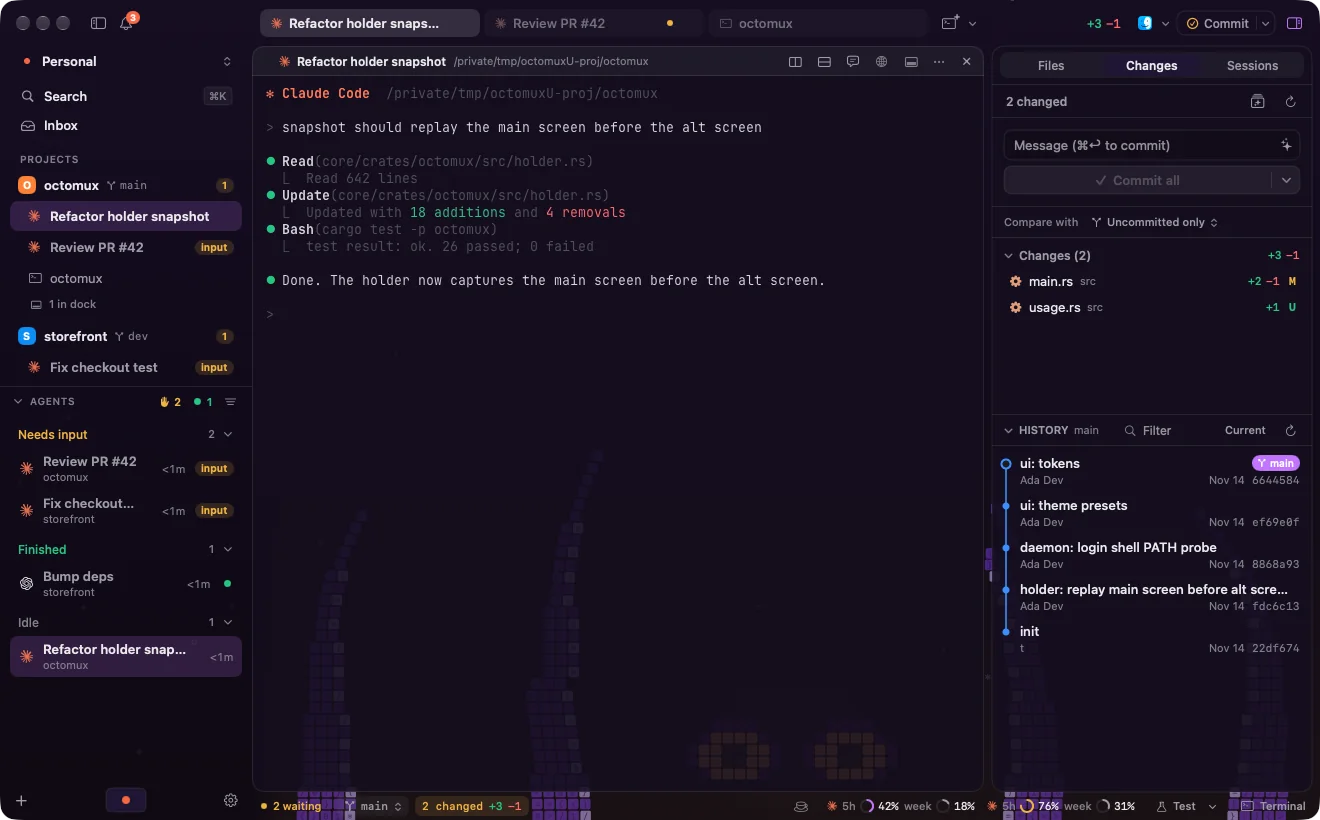
Octomux with the Kraken scene behind translucent terminals: projects and agents on the left, a Claude Code session in the middle, Changes and History on the right
Two agents waiting for input, one finished, and the Kraken scene behind the terminals.

Features

Built for a day of parallel agents.

Know which agent needs you

Each agent is marked working, needs input or done in the sidebar, the tab and the menu bar. Notifications take you straight to the right pane, and ⌘⇧U jumps to the next one waiting.

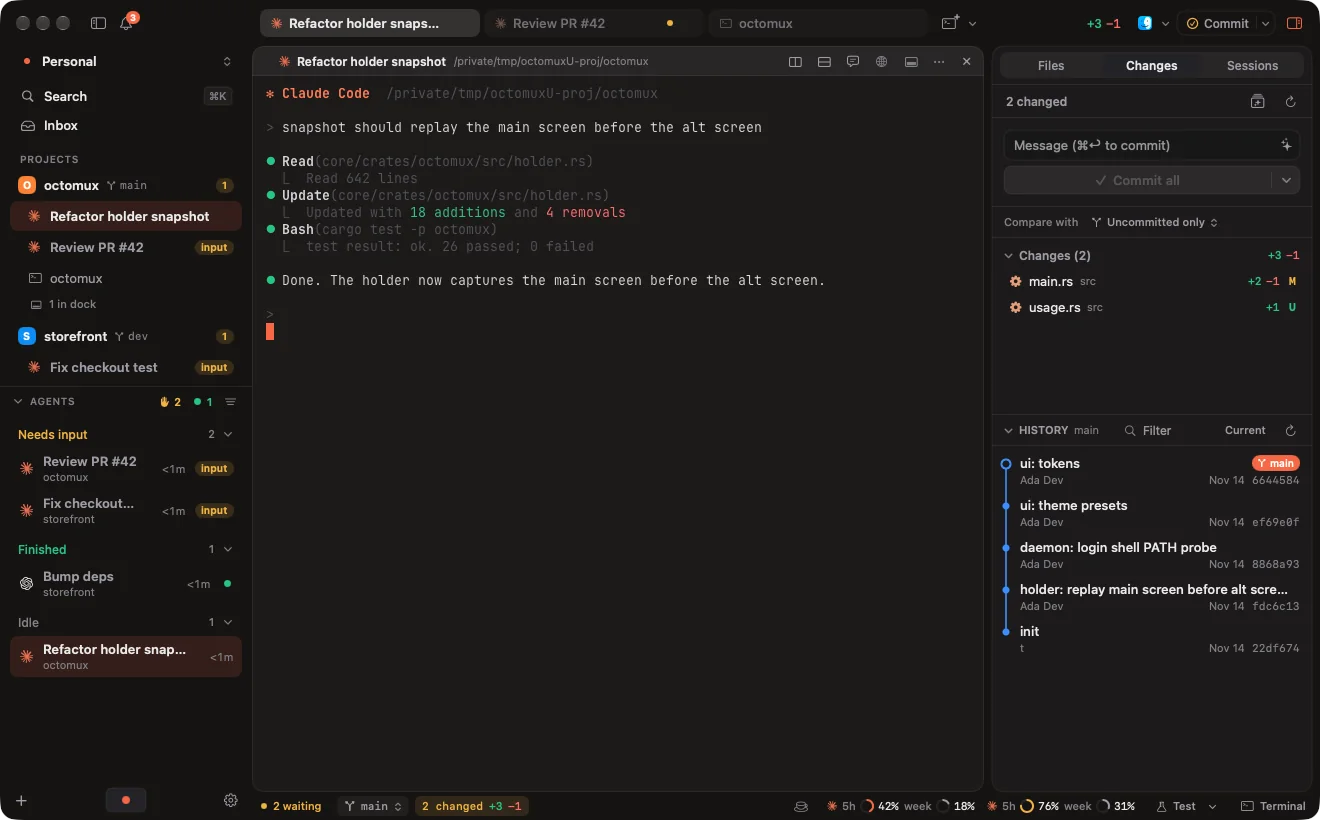
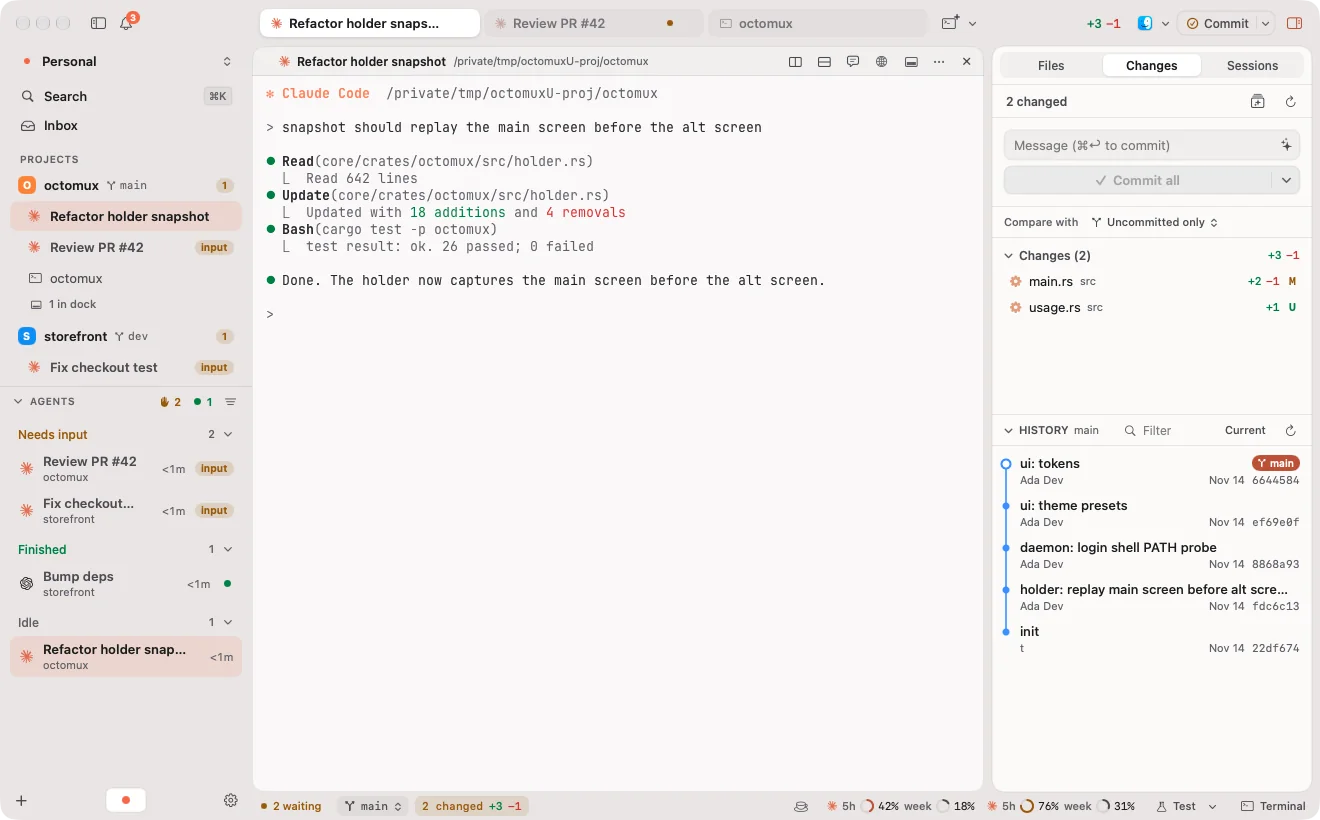
The Agents section lists every agent across workspaces by state, so nothing sits waiting for you unnoticed.

Octomux in dark mode: the Agents section shows two agents that need input and one that finished Octomux in light mode: the Agents section shows two agents that need input and one that finished

Read a session as a chat

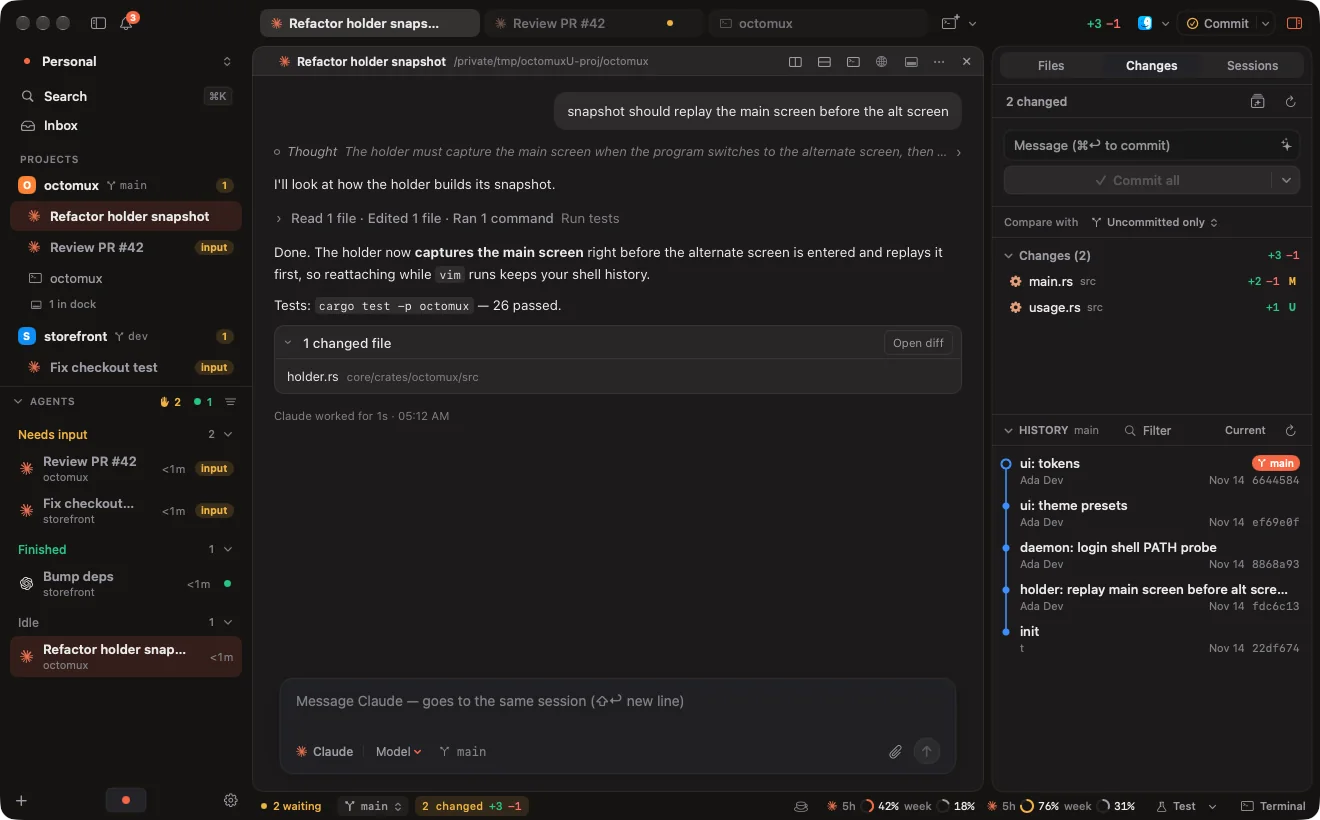
⌘⇧C shows a Claude Code or Codex session as a chat: its own transcript, live, with tool calls as cards. What you type there goes into the same session, as if typed in the terminal.

The agent still runs as itself, with your config and login. Octomux owns the terminal, not the agent.

The chat view of a Claude Code session: a user message, the agent's reply, and a card listing the changed file

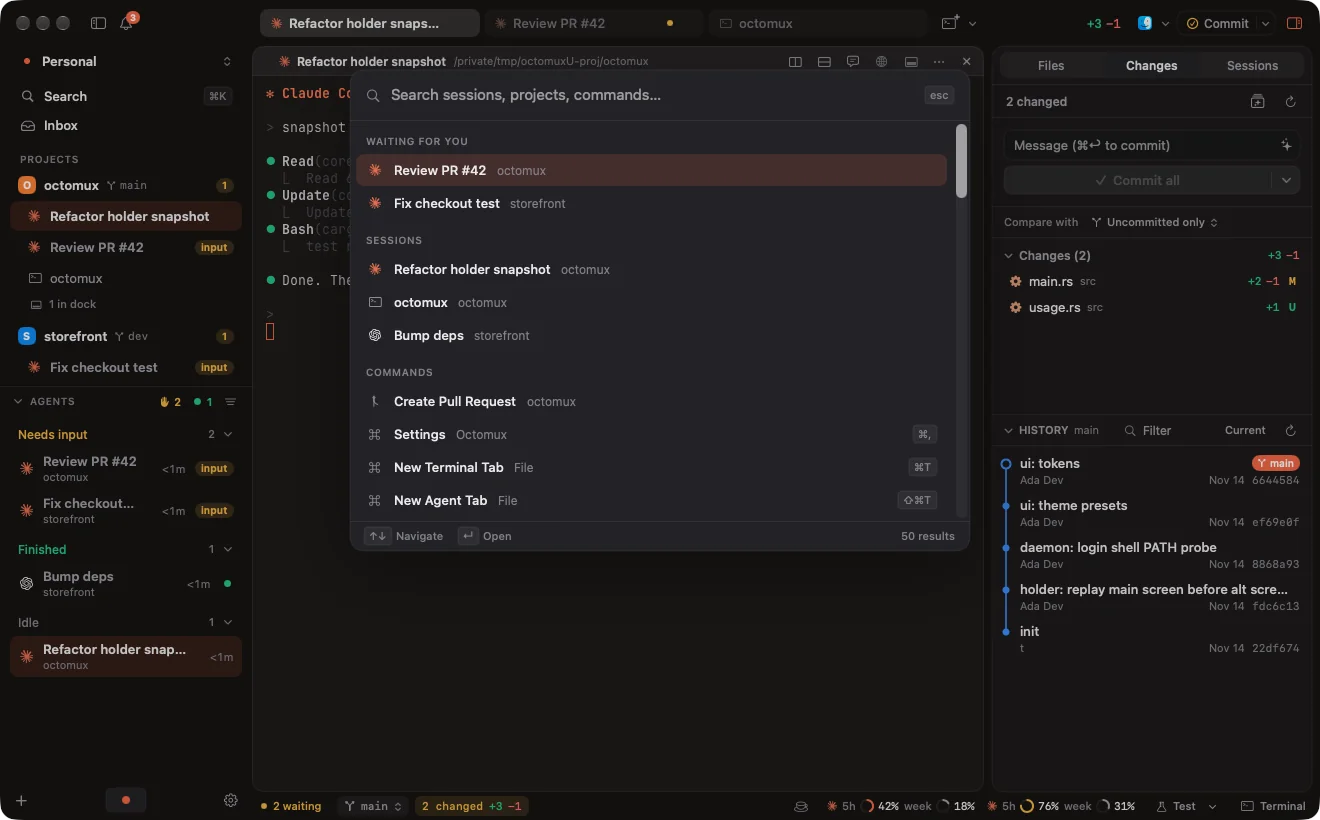
Find anything with ⌘K

The command palette finds sessions, projects, commands, themes and settings. Sessions waiting for you come first.

Every menu shortcut can be rebound in Settings → Keyboard.

The command palette open over Octomux, listing sessions waiting for input, other sessions and commands

Make it yours

Plain dark and light, three theme presets (Ink, Grid, Glass), or one of more than twenty animated pixel-art scenes that show through translucent terminals. The octopus ones are the house favorites.

You can also make your own scene from a JSON file.

How it works

The app is a window. The work lives in a daemon.

  1. Octomux.app Swift, AppKit and SwiftUI. Each pane is a libghostty surface attached to a session.
  2. octomux daemon Rust, runs as a launchd agent. Keeps a SQLite catalog of workspaces, projects, tabs, sessions and settings, and turns agent hooks into activity, notifications and usage.
  3. octomux holder Owns the PTY and the terminal state. Survives app quits, daemon restarts and updates.

Quit, update, crash

The holders keep running. Reopen Octomux and every pane reattaches with its scrollback. Updates install while your sessions keep going.

Reboot

Claude Code and Codex sessions come back with --resume and continue the same conversation. Plain terminals come back as a fresh shell in the same directory.

Your agent config stays yours

For Claude Code, Octomux passes its hooks and status line with --settings, so your ~/.claude/settings.json is left alone. Codex 0.164 and later reports its own state, with nothing to set up.

Install

Up and running in a minute.

  1. 1

    Download

    Get Octomux.dmg from the latest release.

  2. 2

    Drag to Applications

    Open the disk image and drag Octomux into Applications. Opened straight from the disk image or Downloads, it offers to move itself there first.

  3. 3

    Open it

    Octomux installs its background service on first launch and asks for notification permission. Then add a project with ⌘⇧O.

Or with Homebrew

brew install --cask anilsenay/tap/octomux
  • macOS 14 or later, Apple Silicon or Intel
  • Signed and notarized, so it opens without a Gatekeeper prompt
  • Updates itself: a small card offers new versions, and sessions keep running through the update

FAQ

Questions

Is Octomux free?

Yes. It is open source under the MIT License, and there is no account to create.

Which agents does it support?

Any CLI agent runs in Octomux, since it is a terminal. Claude Code and Codex get more: working and needs-input status, resume after a reboot, usage limits and the chat view. Codex needs version 0.164 or later for the needs-input state. Gemini, Amp, OpenCode, Cursor, Kiro, Antigravity, Copilot and your own commands keep running when the app quits. Want deeper support for one? Open an agent request.

What happens to my sessions when I restart my Mac?

Claude Code and Codex sessions come back with --resume and continue the same conversation. Plain terminal sessions come back as a fresh shell in the same directory.

Do I get notifications while the app is closed?

Sessions keep running while Octomux is fully quit, but notifications are posted by the app, so nothing is shown until you open it again.

Does Octomux collect any data?

No analytics and no telemetry. Octomux only goes online to check for updates (a plain download of the update feed, no system profile) and when you import a scene from a URL. Your agents talk to their own providers exactly as they would in any other terminal.

Does it change my agent's settings?

No. Octomux runs your CLI with your own config and login. For Claude Code it passes its hooks and status line with --settings, and your own status line keeps working.

Does it run on Linux or Windows?

The app is for macOS 14 or later. The octomux daemon can run on a Linux server, and the Mac app connects to it over SSH as a remote host.

How do I uninstall it?

If you installed with Homebrew, brew uninstall --zap --cask octomux stops the sessions and removes the app, its background service and all Octomux data. Otherwise follow the steps in the guide.

Give your agents a home.

Download for Mac
brew install --cask anilsenay/tap/octomux